
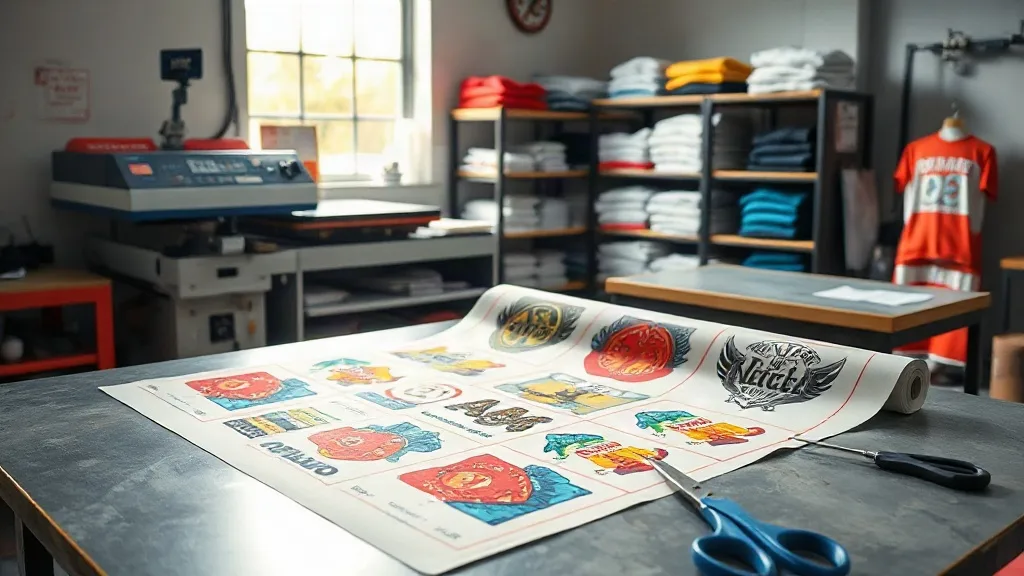
Running a print shop means juggling dozens of small orders every week. Each customer wants something different: a few team jerseys here, a handful of branded tees there, maybe a one-off design for a local event. Handling these short runs individually can eat into your profit margin, especially when you factor in setup time, material waste, and shipping costs. This is where the DTF Gangsheet comes in. By grouping multiple designs onto a single sheet, you can turn a fragmented workflow into a smooth, cost-effective operation. In this guide, we'll explore how gangsheets work, why they're a game-changer for short runs, and how to implement them in your shop for maximum efficiency.
What Is a DTF Gangsheet?
A DTF Gangsheet is a single large transfer sheet that contains multiple designs printed together. Instead of printing each job separately, you arrange all the designs for a given period (say, a day or a week) onto one sheet, optimizing the layout to minimize wasted space. The sheet is then printed on a DTF printer, powdered with adhesive, and cured. When it's time to press, you simply cut out each design and apply it to the garment. Gangsheets are typically produced in standard widths (e.g., 13", 22", or 24") and can be as long as your printer allows, often up to several meters.
Why Short Runs Are a Challenge (and How Gangsheets Solve Them)
Short runs are the bread and butter of many print shops, but they come with inherent inefficiencies. Each job requires a separate setup: loading the printer, printing, powdering, curing, and then pressing. The fixed costs (time, labor, materials) are spread over fewer pieces, driving up the per-unit cost. Gangsheets address this by batching multiple jobs into a single production cycle. You print once, powder once, cure once, and then press each design as needed. The result: lower labor costs, less material waste, and faster turnaround.
Reduced Setup Time
Every time you start a new print job, you spend time preparing the file, loading the printer, and cleaning up afterward. With a gangsheet, you combine many designs into one file, so you only go through the setup once. For a shop that handles 20 small orders a day, that could mean the difference between finishing at 5 PM and working late into the evening.
Minimized Material Waste
DTF film and powder are not cheap. When you print a single small design, you're left with a lot of unused film around it. By nesting designs tightly on a gangsheet, you use nearly every square inch of the film. This is especially important for high-volume shops where material costs add up quickly. A well-planned gangsheet can reduce film waste by 30% or more compared to printing designs individually.
Simplified Pressing Workflow
Once the gangsheet is printed and cured, you have a ready-to-press sheet containing all your pending designs. When an order comes in, you simply cut out the relevant design and press it. No need to wait for a print run or interrupt your pressing schedule. This decoupling of printing and pressing allows for better workflow management and faster order fulfillment.
How to Plan a Profitable Gangsheet
Creating a gangsheet that maximizes efficiency requires some planning. Here are key steps to follow:
- Collect and Prioritize Orders: Gather all pending orders for the next production cycle. Group them by due date and fabric type to streamline pressing later.
- Optimize the Layout: Use nesting software or manual arrangement to fit designs closely together. Rotate designs if necessary to fill gaps. Leave a small margin between designs for easy cutting.
- Consider the Sheet Size: Choose a sheet length that matches your printer's capabilities and your production volume. Longer sheets are more efficient but require careful handling to avoid wrinkles.
- Print, Powder, and Cure: Follow your standard DTF workflow. Ensure the sheet is evenly powdered and properly cured to avoid adhesion issues.
- Cut and Press: Cut out designs as needed. Store the rest in a clean, dry place away from direct sunlight.
Common Pitfalls and How to Avoid Them
While gangsheets offer many benefits, they can also introduce challenges if not managed properly. Watch out for these common mistakes:
- Overcrowding: Packing designs too tightly can make cutting difficult and increase the risk of damaging the transfer. Leave at least 2-3 mm between designs.
- Ignoring Fabric Compatibility: Different fabrics require different pressing parameters. Group designs by fabric type on the same sheet to avoid adjusting your press multiple times.
- Poor Storage: Printed gangsheets should be stored in a cool, dry place. Humidity can affect the adhesive powder, leading to poor adhesion.
- Not Accounting for Shrinkage: Some fabrics shrink after washing. If you're printing for pre-shrunk garments, you may need to adjust the design size accordingly.
Case Study: How a Small Shop Doubled Throughput
Consider a small print shop that handles mostly single-item orders for local sports teams and small businesses. Before adopting gangsheets, they printed each order individually, spending about 15 minutes per order on setup and printing. After switching to a daily gangsheet, they batched all orders into one print run, reducing setup time to 5 minutes per order. Over a month, this saved them over 40 hours of labor, allowing them to take on more orders without hiring extra staff. Additionally, material waste dropped by 25%, further improving their bottom line.
Frequently Asked Questions
Can I use a DTF gangsheet for different fabric types?
Yes, but you should group designs by fabric type on separate sheets or sections. Different fabrics (e.g., cotton vs. polyester) may require different pressing temperatures and times. Mixing them on one sheet can lead to under- or over-pressing, affecting durability.
How long can I store a printed gangsheet before using it?
When stored properly in a cool, dry place away from direct sunlight, a printed gangsheet can last for several months. However, for best results, use it within 30 days. Always perform a test press if the sheet has been stored for an extended period.
What's the best way to cut a gangsheet?
Use a sharp pair of scissors or a rotary cutter with a straight edge. For intricate designs, a cutting machine like a Cricut or Silhouette can be used, but ensure the blade is sharp to avoid fraying the edges. Always cut slightly outside the design to avoid cutting into the print.
Can I print white ink on a gangsheet?
Absolutely. DTF printers with white ink capability can print white underbase or highlights. When planning your gangsheet, keep in mind that white ink adds thickness, so adjust your cutting and pressing accordingly.
How do I price gangsheet-printed items?
Calculate your total cost for the gangsheet (film, ink, powder, labor) and divide by the number of designs. Add your profit margin and consider the convenience factor for short runs. Many shops charge a premium for small orders, but with gangsheets, you can offer competitive pricing while maintaining profitability.
Adopting a gangsheet workflow requires an initial investment in planning and possibly software, but the long-term savings in time and materials make it a worthwhile strategy for any print shop dealing with short runs. Start small: try batching a week's worth of orders onto a single sheet and measure the impact on your workflow. You'll likely find that gangsheets become an indispensable part of your production process.