
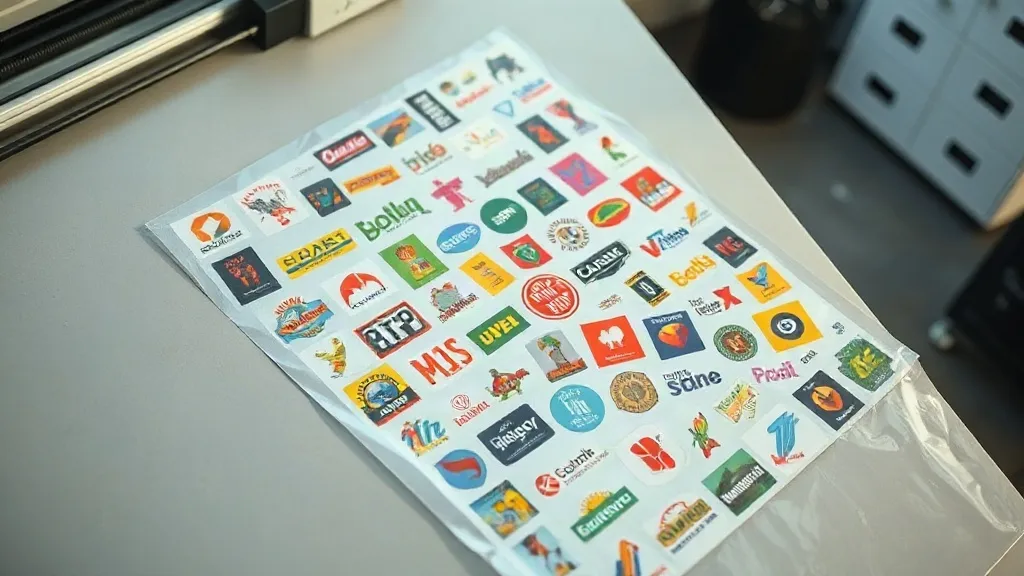
Most print shops lose money on DTF transfers long before the press heats up. The culprit is rarely the powder or the ink; it is the empty space on the film. Every unprinted square centimeter is film, ink, and curing time you pay for and never sell. That is exactly the gap a DTF Gangsheet is designed to close, and understanding how to build one well can change the economics of a small apparel operation almost overnight.
This guide walks through what a gangsheet actually is, how to lay one out so the math works in your favor, and the practical habits that separate shops with healthy margins from those quietly bleeding film on every order.
What a DTF Gangsheet Really Is
A gangsheet is a single sheet of DTF film that carries multiple separate designs, arranged together so they can be printed, powdered, and cured in one pass. Instead of running a small job for one 3-inch logo and throwing away the rest of a 13 by 19 inch sheet, you fill that sheet with other designs you already know you will need.
The concept is not new. Screen printers have gang-run small jobs for decades to avoid burning a screen for a handful of shirts. DTF simply moves that logic to a digital workflow, where the only real constraint is how tightly you can nest artwork without the transfers overlapping or the cutter losing track of the edges.
What makes a gangsheet genuinely useful is that it turns a fixed cost into a variable one. Film, ink, and powder scale with area. If you double the printable area you use per sheet, you roughly halve the consumable cost per transfer. That single ratio is the whole game.
Why Gangsheets Matter for Small and Mid-Volume Shops
A shop printing fifty shirts a week with ten different designs faces a choice. Run ten separate small jobs and eat the setup time and wasted film on each one, or nest all ten designs onto a handful of sheets and run them together.
The second option usually wins for three reasons.
- Consumable efficiency. Film and powder are priced by area. Filling the sheet means you stop paying for margins you never print.
- Labor compression. One load, one powder application, one cure cycle, one cut file. The handling time per transfer drops sharply.
- Consistent color. Designs printed in the same run share the same ink batch, the same humidity conditions, and the same cure profile, which reduces variation between pieces in a set.
There is a catch, though. Gangsheets reward planning and punish improvisation. If your layout is sloppy, you gain nothing and may lose more to misprints than you saved on film.
How to Lay Out a Gangsheet That Actually Pays Off
Layout is where the money is made or lost. A few principles do most of the work.
Start with your real demand, not your wish list
The temptation is to fill every gap with designs you might need someday. Resist it. Build the sheet around transfers you will actually press within the next few weeks. Dead stock on a shelf is worse than empty film, because it ties up both material and the time you spent producing it.
A practical approach is to pull your last thirty days of orders and group them by design. Anything that appears more than twice belongs on the sheet. One-off designs go on a separate run or wait until you have enough of them to justify a sheet.
Nest tightly, but leave breathing room
Transfers need a small gap between them so the cutter has a clean path and so powder does not bridge two designs into one blob. A gap of roughly 3 to 5 millimeters is usually enough. Tighter than that and you risk ragged edges; much wider and you are back to wasting area.
Rotate designs where it helps. A long, narrow logo can often slot into a gap that a square one cannot. Nesting software does this automatically, but even manual layout in your RIP software will show the gains quickly once you start paying attention.
Group by ink coverage and color
Heavy white underbases and light single-color designs behave differently on press. Grouping similar coverage together keeps curing consistent and makes it easier to judge quality at a glance. It also helps you spot a failing printhead before it ruins an entire sheet of expensive artwork.
Build a cut file you trust
The cut contour is not an afterthought. If your cut lines drift, transfers tear, and the whole sheet becomes scrap. Test your contour settings on a small run before committing a full sheet, especially when you introduce a new design with fine details or thin strokes.
The Cost Math Behind a Well-Built Sheet
Numbers make the case better than adjectives. Suppose a 13 by 19 inch sheet costs a fixed amount in film, ink, and powder. If you print one 4-inch design on it, that design carries the entire sheet cost. If you print twelve designs on the same sheet, each one carries roughly a twelfth of that cost, plus its share of ink.
This is why shops that master gangsheet layout can quote single transfers at prices that seem impossible to competitors running one design at a time. They are not cutting corners on quality. They are simply not paying for empty film.
Two practical habits follow from this. First, track your cost per square inch of printed area rather than cost per sheet, because that is the number that actually tells you whether a layout is efficient. Second, review a completed sheet periodically and ask what percentage of the area went to sellable transfers. Anything below roughly 70 percent is a layout problem worth fixing.
Common Mistakes That Quietly Destroy Margins
Even experienced operators fall into a few traps.
- Overfilling the sheet. Cramming designs edge to edge leaves no room for cut paths and increases the chance that one bad transfer forces you to scrap neighbors.
- Ignoring humidity. DTF powder is sensitive to moisture. A sheet built on a humid morning can behave differently than one built in a dry room, and the difference shows up as inconsistent adhesion.
- Reusing old cut files. Design updates that are not reflected in the contour file lead to miscuts that only surface after pressing.
- Printing speculative inventory. Producing transfers for designs that have not sold yet feels productive and is often just expensive storage.
- Skipping the test press. A quick press on scrap fabric catches cure and adhesion problems before you commit a full production run.
When a Gangsheet Is the Wrong Choice
Gangsheets are not universally better. If you need a single large back print that fills most of the sheet on its own, there is nothing to gang. If your designs change daily and you cannot predict demand even a week out, the planning overhead may outweigh the savings.
The honest test is simple. If you can name ten designs you will press this month, a gangsheet will almost certainly save you money. If you cannot, fix your demand visibility first and revisit the layout question afterward.
Frequently Asked Questions
How many designs can fit on one DTF gangsheet?
It depends entirely on design size and shape. A sheet full of small chest logos can hold dozens, while a sheet with large back prints may hold only two or three. The useful measure is printed area coverage, not design count. Aim to fill at least 70 percent of the sheet with sellable transfers.
Does printing designs together affect color accuracy?
It usually improves consistency. Designs printed in the same run share ink batch, environmental conditions, and cure profile, so a set of shirts produced from one sheet tends to match more closely than a set produced across several separate runs.
Can I mix different fabric types on the same sheet?
Yes. The sheet itself does not care what fabric the transfer will eventually be pressed onto. What matters is that your press settings match the garment during application, so keep your pressing notes organized per design rather than per sheet.
How long can I store an unused gangsheet?
Store finished transfers flat, dry, and away from direct light, and they will keep well for a reasonable period. Humidity is the main enemy, so sealed storage in a climate-controlled space protects both adhesion and color. Label sheets with the production date so older stock gets used first.
What is the biggest mistake beginners make with gangsheets?
Filling the sheet with designs they hope to sell rather than designs they have orders for. Efficiency on paper means nothing if the transfers sit unused. Build around confirmed demand, and the cost savings become real instead of theoretical.